

 USA
USA
 Canada
 Australia
Introduction
Most small business owners don’t fall behind on their books because they’re careless. They fall behind because the day gets busy, the receipts pile up, and reconciling the bank account is the last thing anyone wants to do at 9 pm. That’s exactly the gap Xero bookkeeping services are built to close.
Used well, Xero automates the repetitive parts of daily finance, such as importing bank transactions, chasing unpaid invoices, and preparing payroll, so your numbers stay current without you living inside the software. This guide walks through what Xero bookkeeping Australia actually looks like day to day, which tasks you can safely automate, and where outsourced accounting support can provide the human oversight your business still needs.
What Are Xero Bookkeeping Services?
Xero bookkeeping services combine the Xero cloud accounting platform with the people who run it properly. The software handles the mechanical work, such as bank feeds, invoice reminders, and Single Touch Payroll. A bookkeeper or outsourced finance team sets it up correctly, reviews the coding, reconciles the accounts, and makes sure what the ATO sees is accurate.
Think of it as two layers. Xero is an engine. The bookkeeping service is the driver who keeps it on the road, catches the errors before they become BAS problems, and hands you clean, decision-ready numbers each month.
Which Daily Finance Tasks Can Be Automated in Xero?
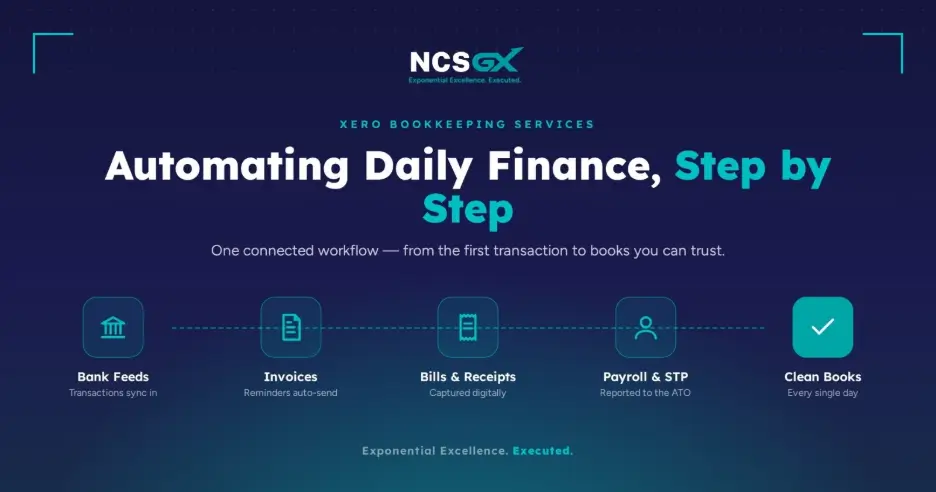
You don’t need to automate everything at once. Start with the tasks that eat the most time and repeat every day or week. In practice, that usually means:- Bank transaction imports through live bank feeds
- Invoice reminders for overdue customers
- Recurring invoices for retainer or subscription clients
- Bill and receipt capture using Hubdoc or a scanning tool
- Payroll and STP reporting to the ATO each pay run
- Bank rules that pre-code regular transactions like rent, fees, and subscriptions
How Xero Bank Feeds Help With Daily Reconciliation
Xero bank feeds connect your business bank account directly to Xero, so transactions flow in automatically, usually within a day. No more exporting CSV files or typing figures from a paper statement.
Once feeds are running, reconciliation becomes a quick daily habit instead of a monthly marathon. Xero suggests a match for each transaction, and you confirm or adjust it. Set up bank rules for anything recurring, and a large share of your reconciling can be near one-click.
The payoff is real-time visibility. When your bank is reconciled daily, your cash position on screen is the truth, not a guess.
How Invoice Automation Improves Cash Flow
Late payments are one of the biggest cash flow killers for Australian SMEs and chasing them by hand is awkward and easy to skip. Xero invoice automation takes it off your plate.
You can set automatic invoice reminders that email customers before and after the due date, send recurring invoices on a schedule, and give customers a pay-now button. According to Xero’s guidance on how invoice reminders work, reminders can be scheduled at set intervals, so overdue accounts get followed up consistently without anyone remembering to do it.
The result is simple. Invoices go out on time, follow-ups happen automatically, and money lands in the account sooner.
How Xero Helps With Bills, Receipts and Supplier Payments
The same discipline applies to money going out. Instead of a shoebox of receipts, you can email or photograph bills straight into Xero, where the details are captured and matched to the right supplier and account.
From there you can schedule batch payments, track what’s due, and keep a full digital audit trail. Keeping digital bookkeeping records, this way isn’t just convenient, it also meets the ATO’s requirements for record keeping, which allows records to be stored electronically as long as they’re complete, true, and kept for five years.
How Xero Payroll STP Supports Australian Employers
If you have employees, Single Touch Payroll (STP) is not optional. Every pay run, you must report salaries, PAYG withholding, and super to the ATO. Xero Payroll builds this into the process, so each finalised pay run reports through automatically.
For a plain-language overview of your obligations, the ATO’s Single Touch Payroll pages are the source of truth. With the super guaranteed rate now at 12% from 1 July 2025, getting payroll set up correctly in Xero matters more than ever, because errors compound across every pay run.
Common Xero Bookkeeping Mistakes to Avoid
- Never reconciling — feeds import transactions, but someone still has to confirm them
- Miscoding GST — small coding errors become BAS headaches
- Ignoring the payables side — bills and receipts need the same discipline as sales
- Treating automation as “set and forget” — rules drift as your business changes
- Skipping the monthly review — automation keeps books current, not necessarily correct
A Practical Daily Finance Workflow Using Xero
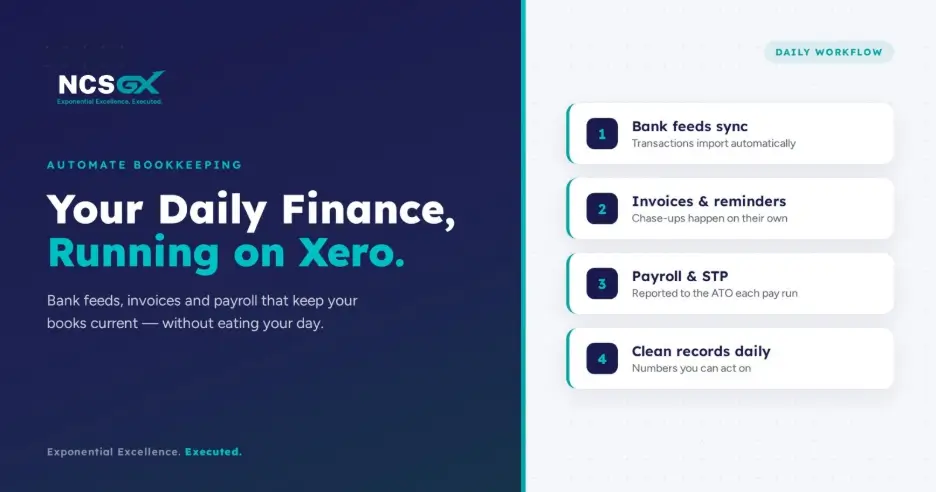
Here’s what a tidy daily rhythm can look like:- Morning: Check the Xero dashboard for cash position and new bank feed transactions.
- Reconcile: Confirm suggested matches; code anything the rules didn’t catch.
- Bills: Approve captured bills and schedule payments due that week.
- Invoices: Review overdue accounts; reminders have already gone out automatically.
- Flag: Note anything unusual for your bookkeeper or accountant to review.
How to Set Up Xero Bookkeeping Services the Right Way
A good setup is what separates useful automation from an expensive mess. The essentials:
- Build a chart of accounts that fits your business, not a generic default
- Connect and verify bank feeds for every account and card
- Configure GST settings and your BAS reporting cycle correctly
- Set up payroll and STP before the first pay run
- Create bank rules and invoice reminders that match how you trade
Rushing this stage is the most common reason businesses end up with messy books later.
When Should an Australian Business Get Bookkeeping Help with Xero?
Xero is designed to be usable, but “usable” and “set up correctly” aren’t the same thing. It’s worth bringing in help when you’re hiring staff and starting payroll, when GST or BAS is getting complicated, when you’re spending hours, you don’t have on the books, or when you simply don’t trust your own numbers.
That’s the point where a bookkeeping service pays for itself, by giving you time back and figures you can act on.
Xero Bookkeeping Automation Checklist for Australian Businesses
- Bank feeds connected and reconciling daily
- Bank rules set for recurring transactions
- Automatic invoice reminders switched on
- Recurring invoices scheduled where relevant
- Bills and receipts captured digitally
- Payroll configured and STP reporting active
- GST and BAS settings confirmed
- A monthly review by a bookkeeper or accountant
Common Xero Bookkeeping Mistakes to Avoid
- Never reconciling — feeds import transactions, but someone still has to confirm them
- Miscoding GST — small coding errors become BAS headaches
- Ignoring the payables side — bills and receipts need the same discipline as sales
- Treating automation as “set and forget” — rules drift as your business changes
- Skipping the monthly review — automation keeps books current, not necessarily correct
How NCSGX Can Help
At NCSGX, we set up and run Xero bookkeeping the way it’s meant to work, with clean bank feeds, sensible bank rules, automated invoice reminders, and STP-ready payroll. Then we do the part software can’t: reviewing your numbers, catching the errors, and handing you books you can actually make decisions from.
Our team supports Australian businesses with day-to-day bookkeeping and BAS and end-to-end payroll processing, so your finances stay current without stealing your time.
If your books are behind, or you’re not confident they’re right, book a short Xero health check with NCSGX and we’ll tell you exactly what to fix first.
Frequently Asked Questions (FAQ)
1. What are Xero bookkeeping services?
They combine the Xero cloud accounting platform with a bookkeeper or outsourced finance team who sets it up, reviews the coding, and keeps your records accurate and compliant.
2. Can Xero automate bookkeeping for Australian businesses?
For most businesses, yes. Xero handles the mechanical tasks, but a bookkeeper reviews coding, catches errors, reconciles properly, and makes sure your BAS and payroll are right.
3. Do I still need a bookkeeper if I use Xero?
For most businesses, yes. Xero handles the mechanical tasks, but a bookkeeper reviews coding, catches errors, reconciles properly, and makes sure your BAS and payroll are right.
4. How do Xero bank feeds help with bookkeeping?
Bank feeds import your transactions automatically, so reconciliation becomes a fast daily task and your cash position on screen stays accurate in near real time.
5. Can Xero help with STP reporting in Australia?
Yes. Xero Payroll reports salaries, PAYG withholding, and super to the ATO through Single Touch Payroll each time you finalise a pay run.
6. Is Xero bookkeeping automation suitable for small businesses?
Very much so. Sole traders and small businesses often gain the most, because automation frees up the hours they can least afford to lose.