
 USA
USA
 Canada
 Australia


Accounting firms handle sensitive information every day, from financial statements and tax records to identification documents and banking information. As more client interactions move online, firms need a safer and more organised way to exchange this information. A secure client portal for accountants provides a dedicated environment for sharing documents, collecting information, communicating with clients and managing approvals.
NCSGX is a global advisory and business process outsourcing partner helping organisations strengthen finance, technology and operational functions through scalable, technology-enabled solutions.
But what makes a client portal genuinely secure? And how can an accounting firm choose one that fits its workflow without adding unnecessary complexity?
This guide covers the security standards, features and practical considerations worth evaluating before investing in accounting client portal software.
What Is a Secure Client Portal for Accountants?
A secure client portal is a private online workspace where an accounting firm and its clients can exchange documents, messages, requests and approvals.
Instead of sending sensitive files as email attachments, an accountant can upload documents to a client’s dedicated workspace. The client signs in, accesses the information and uploads the requested documents through the same system.
Depending on the platform, a portal may include:
- Secure document sharing
- Multi-factor authentication (MFA)
- Role-based access controls
- Document requests and reminders
- E-signatures
- Client messaging
- Activity logs and audit trails
- Mobile access
- Accounting and practice-management integrations
The key difference is control. Rather than relying on individual email accounts and inboxes, a portal provides a structured environment for client document sharing for accountants.
That does not mean every portal is automatically secure. Firms still need to understand how a provider protects information, manages access and responds to security incidents.
Why Firms Are Moving Away from Email for Client Documents
Email remains one of the easiest ways to communicate with clients. The problem starts when it becomes the primary system for exchanging and managing sensitive documents.
Consider a simple request for bank statements, identification and tax records. A client may send several attachments, followed by revised documents and additional information. Before long, the firm’s team may be searching through multiple inboxes to determine which file is current and what is still outstanding.
Email also depends heavily on user behaviour. Messages can be sent to the wrong recipient, attachments can be forwarded, and compromised accounts can expose sensitive information.
This is why the client portal vs email for accountants discussion is less about replacing email and more about using the right tool for the right purpose:
Email → general communication
Client portal → sensitive documents, requests, approvals and client collaboration
A portal gives firms a central place to manage client information and reduces dependence on fragmented email exchanges.
Security Standards That Actually Matter
Security terminology can quickly become overwhelming. Instead of focusing only on certifications and marketing claims, accounting firms should understand the controls behind them.
Encryption
Encryption protects information by converting it into a format that unauthorised users cannot easily interpret.
When evaluating a portal, look for encryption both in transit and at rest. This helps protect information while it moves between users and the platform and while it is stored.
Multi-Factor Authentication
MFA requires users to provide more than one form of verification when accessing an account.
For example, a user may need a password and a verification code. If a password is compromised, MFA provides an additional layer of protection.
For firms handling financial and personal information, MFA should be considered a basic requirement.
Access Controls
Not every employee needs access to every client’s information.
Role-based permissions allow firms to control who can view, upload, edit or manage documents. Strong client portal security features should make it easy for administrators to grant appropriate access and remove it when circumstances change.
Audit Trails
Audit logs provide visibility into important activity, such as document uploads, downloads, access and approvals.
This can help firms understand who interacted with information and when, making the portal easier to monitor and manage.
SOC 2
SOC 2 is an assurance framework based on the AICPA’s Trust Services Criteria. These criteria cover security, availability, processing integrity, confidentiality and privacy. The AICPA’s Trust Services Criteria explains the framework used to evaluate controls over systems and information.
However, SOC 2 should not be treated as a simple security badge. Firms should understand what was assessed, whether the report is Type I or Type II and whether its scope covers the services they plan to use.
Must-Have Features for Accounting Workflows
Security is only part of the equation. The portal also needs to make everyday accounting work easier.
Secure document sharing
Clients should be able to upload and access documents without relying on email attachments or consumer file-sharing applications.
Document requests
Staff should be able to request specific documents and see which items are still outstanding. This can make client follow-ups much more structured.
E-signatures
Integrated e-signatures can simplify engagement letters, approvals and other documents requiring client action.
Automated reminders
Automated notifications can reduce the time staff spend manually chasing clients for missing information.
Client communication
Secure messaging can keep conversations related to documents and requests within the same workspace.
Integration
The portal should fit into the firm’s existing accounting, tax, CRM and practice-management systems wherever possible.
Mobile access
Clients increasingly expect to access services from mobile devices. A straightforward mobile experience can make uploading documents and completing requests easier.
Administration and permissions
Administrators should have clear control over users, permissions, client access and employee accounts.
Data retention
Understand how the provider manages storage, backups, retention and deletion. Security should be considered throughout the information lifecycle.
10 Client Portal Options to Know in 2026
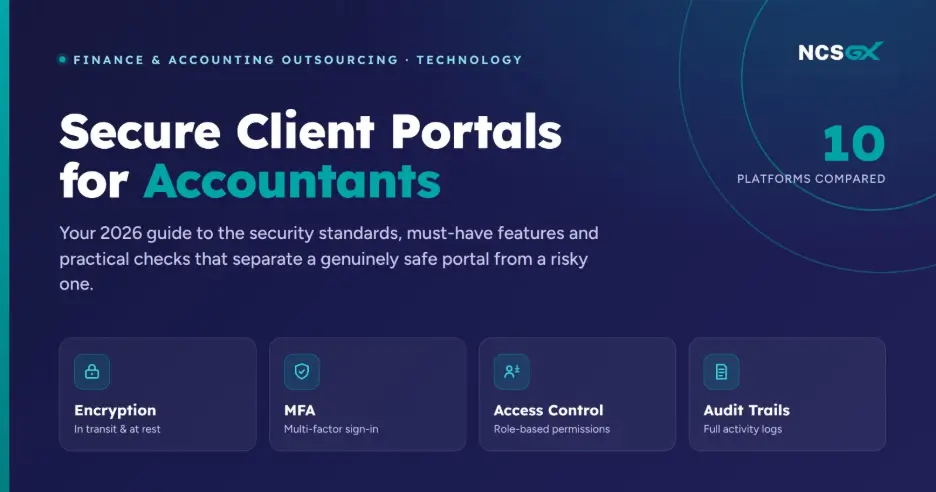
There is no single best client portal for every accounting firm. Some platforms focus on practice management, while others concentrate on document management or client communication.
Here are 10 platforms worth knowing in 2026:
- TaxDome – Practice management, workflows, document exchange and client collaboration.
- Canopy – Tax practice management and client communication.
- Karbon – Workflow, practice management and team collaboration.
- Financial Cents – Workflow and client management for accounting firms.
- Liscio – Secure client communication and document exchange.
- SmartVault – Document management and secure client portals.
- Client Hub – Client requests, communication and collaboration.
- Clinked – Dedicated client portals and secure collaboration.
- SuiteDash – Client portals combined with CRM and workflow capabilities.
- ShareFile – Secure file sharing and collaboration.
Current 2026 industry comparisons include many of these platforms, although their focus and feature sets vary considerably.
The goal should not be to choose the platform with the longest feature list. It should be to find the one that fits the firm’s workflow and that clients will actually use.
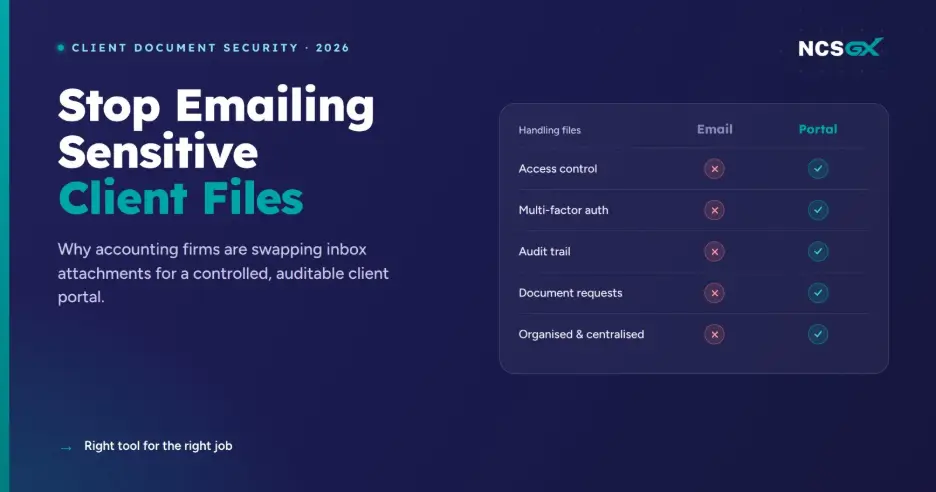
Client Portal vs Email: A Quick Comparison
| Secure Client Portal | ||
| Document sharing | Attachments | Controlled workspace |
| Access control | Account dependent | User permissions |
| MFA | Account dependent | Usually available |
| Organisation | Inbox-based | Client-specific |
| Audit trail | Limited | Usually available |
| Document requests | Manual | Structured |
| Approvals | Email responses | Workflow-based |
| Client experience | Fragmented | Centralised |
The objective is not to eliminate email. It is to stop using email as the primary system for exchanging and managing sensitive client documents.
How to Choose the Right Fit for Your Firm
Start with your firm’s workflow rather than a vendor’s feature list.
Ask what currently creates the most friction.
If staff spend too much time chasing documents, prioritise request lists and automated reminders. If information is scattered across inboxes, focus on document organisation and client workspaces. If security is the primary concern, examine authentication, encryption, permissions and audit capabilities.
Also consider:
- Number of users and clients
- Client technology preferences
- Existing accounting software
- Integration requirements
- Data storage and retention
- Implementation and training
- Vendor support
- Scalability
- Total cost of ownership
Before committing, test the platform with your team and a small group of clients.
A secure portal only creates value when employees can manage it efficiently and clients are comfortable using it.
How NCSGX Can Help
Choosing the right technology is only one part of improving an accounting firm’s operations. The processes surrounding document handling, accounting, client administration and back-office work also need to operate efficiently.
NCSGX provides outsourced finance and accounting services that can work alongside your existing technology and help firms manage routine finance operations at scale. Its capabilities include accounting, bookkeeping, financial reporting, tax and compliance support, and other finance processes.
For firms looking to strengthen their broader finance function, NCSGX can also support end-to-end finance and accounting operations, covering areas such as record to report, order to cash and procure to pay.
The combination of appropriate technology, defined processes and experienced support can help accounting firms reduce repetitive work, improve turnaround times and allow internal teams to focus on higher-value client work.
Conclusion
A secure client portal can do much more than replace email attachments. It can create a structured environment for document sharing, client requests, approvals and communication while giving accounting firms greater control over sensitive information.
The right solution should balance security, usability, integration and workflow efficiency.
Before choosing a platform, look beyond its feature list. Understand how information is protected, how access is controlled, what activity is recorded and whether the experience works for both staff and clients.
As accounting firms continue to modernise their operations, technology and people need to work together. NCSGX helps organisations build scalable finance and business operations through global accounting and business process support, combining professional expertise with structured delivery models.
If you are reviewing your firm’s accounting operations or looking for additional capacity to support your existing team, connect with NCSGX to discuss your requirements.
Frequently Asked Questions
What is a client portal for accountants?
A client portal is a secure online workspace where accounting firms and clients can exchange documents, messages, requests and approvals in one controlled environment.
Are client portals actually more secure than email?
They can be, particularly when they include encryption, MFA, access controls and audit trails. However, security depends on the platform, its configuration and how the accounting firm manages user access.
What security certifications should a client portal have?
SOC 2 is one important assurance framework to investigate. Firms should look at the scope and type of the report as well as the provider’s encryption, authentication, access controls, monitoring and incident-response practices.
Do small accounting firms need a client portal?
Yes. Smaller firms can benefit from centralised document collection, fewer manual follow-ups and better organisation. The key is choosing a solution that matches the firm’s actual needs.
Can a client portal replace an accounting firm's existing software stack?
Usually not. A portal typically works alongside accounting, tax and practice-management software. Some platforms combine several functions, while others focus primarily on secure communication and document exchange.
How do I know which type of client portal fits my firm?
Start by reviewing your current workflow. Identify how you collect documents, communicate with clients, manage approvals and track outstanding information. Then choose a portal that addresses those gaps and integrates with the systems you already use.

Utsavi Bhatia
Utsavi Bhatia is a seasoned financial services professional serving as AVP - Paraplanning at NCSGX. She specialises in delivering high-quality paraplanning support to financial advisers and planning firms across Australia, covering Statement of Advice (SOA) preparation, portfolio analysis, research, and risk profiling. With a strong grasp of the Australian financial planning landscape and platforms like Xplan and Midwinter, she helps advisory businesses streamline back-office operations and reduce turnaround times significantly. Utsavi has supported numerous practices in scaling their service capability without adding overhead, making her a trusted partner to some of Australia's leading financial advice businesses
All Posts